Comparisons

How to migrate from Apollo to Okki Go

Apollo is a strong SaaS database. Okki Go is an agent-native workflow. This guide shows how to move without losing data quality or sales momentum.

Emma Hartford12 min readApr 28 2026Apollo is a strong SaaS database

Why teams are switching

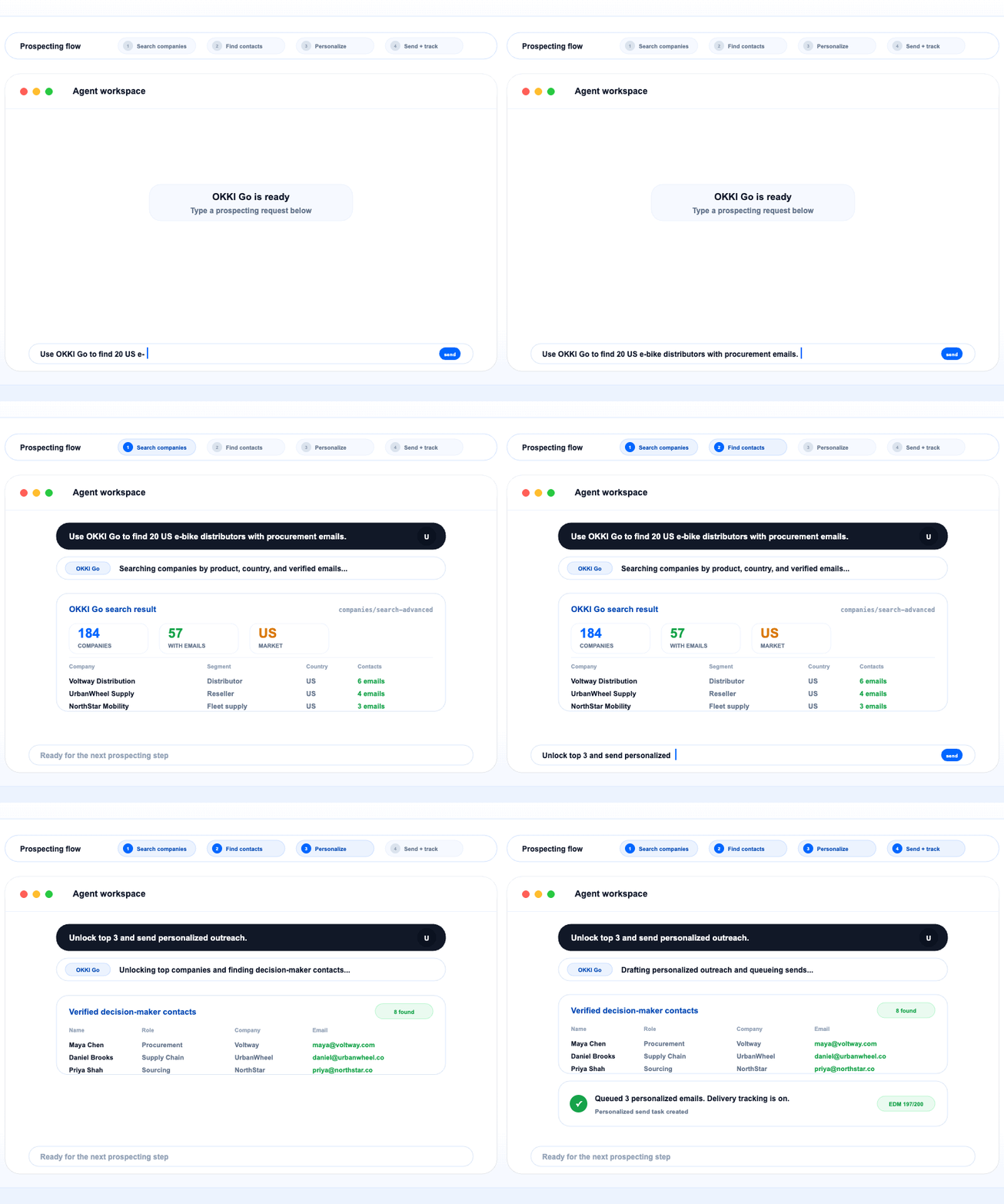
Apollo gave many teams their first repeatable outbound motion. The problem is that most of the workflow still lives outside the place where reps now work: their AI assistant. Teams moving to Okki Go usually want fewer tabs, lower seat cost, and a workflow where research, contact discovery, and outreach happen in one conversational surface.

The migration is less about replacing a database and more about replacing the operating model. Instead of “open Apollo, export CSV, move to sequencer,” you move to “ask the agent, refine, and send.”

Apollo vs Okki Go

Apollo is optimized for a browser-first SaaS workflow. Okki Go is optimized for an AI-native workflow inside Claude Code, Cursor, OpenClaw, and other assistants.

CategoryApolloOkki Go
Primary workflowDashboard + exportsAgent-native prompts and actions
Seat modelPer-seat SaaS pricingAPI-key based workflow access
Outbound executionUsually separate toolsResearch + outreach in one loop

Step 1 · Export your Apollo workflows

Start by exporting your ICP segments, saved searches, and any message templates that reps still rely on. You do not need to replicate every field. Keep the variables that actually change decisions: region, industry, company size, buying trigger, and persona.

Export checklistcopy in app
# Keep only what affects qualification
accounts.csv
contacts.csv
saved-search-filters.json
message-templates.md

Step 2 · Rebuild search logic in prompts

In Okki Go, filters become reusable prompt patterns. Instead of navigating a saved-search UI, you describe the ICP once and let the agent run the search repeatedly with lighter friction.

Prompt recipecopy in app
Find German industrial automation manufacturers
100-1000 employees
prioritize companies hiring field sales reps
return decision-makers in revenue operations or sales ops

Step 3 · Move outbound into your AI assistant

The biggest gain comes when research and messaging stop being separate steps. Once you have a qualified list, ask the agent to draft personalized openers, compare alternatives, and prep follow-up angles without leaving the session.

Outreach loopcopy in app
For each qualified company above:
1. summarize why they fit
2. draft a 90-word cold email
3. produce 2 follow-up angles
4. flag risky claims before sending

Step 4 · Validate with a pilot team

Do not migrate the whole org at once. Give one pod a constrained pilot: one market, one motion, one manager. Measure search-to-first-draft time, contact coverage, reply quality, and rep confidence.

Pilot scorecardcopy in app
weekly_metrics:
  - time_to_build_target_list
  - contacts_per_account
  - draft_personalization_score
  - replies_booked
  - rep_feedback

Migration FAQ

Do we need to migrate all Apollo data?

No. Migrate the workflow, not every export. Keep only the filters, personas, and templates your team actually uses.

What if our reps still want CSVs?

That is fine during transition. Use CSVs as an escape hatch, but train reps to iterate inside the assistant first.

How long should the pilot last?

Usually one to two weeks is enough to compare list quality, outbound velocity, and operator preference.

Mid-migration checkpoint

Ready to validate on a live segment?

Pick one territory, one persona, and one outbound play. Run the workflow in Okki Go for five business days and compare speed-to-first-list, personalization quality, and meetings booked.

Install and test the workflow
— launch the new motion

Ready to migrate?

Start with one install, one API key, and one pilot team. If the workflow feels faster in week one, the rest of the rollout gets easier.

Related topics

Back to blog